How to read/write JUKU disk images?
In 2022 it was not yet documented how, and with what, to read JUKU's double-sided floppies; enthusiasts experimented with various tools for reading disk images, achieving partial success with some. What follows is an experience report of how I went and gnawed my way through the JUKU floppy disk's data format, what I learned in the process, and what I felt was worth sharing publicly. The story is rounded off at the end with a more general framework, more precise calculations, and practical recommendations.
JUKU 786/788 kB disks are double-sided double-density (DSDD) disks, each side of which has 80 tracks divided into 40 sectors of 128 bytes each. That gives 2×80 = 160 tracks total, 40×128 = 5120 bytes (5 kB) per track, and a total disk size of 160×5120 = 819,200 bytes, or 819 kB. What makes reading them complicated is that those bytes are not stored content-wise in sequence, but "scrambled". Therefore we cannot treat the disk as a sequential 819 kB blob and ignore its substructure; the scrambling has to be undone at the level where it was introduced.
The work is done by cpmtools and libdsk hand in hand, and the required config files are:
- diskdefs (may live for example under
/etc/cpmtoolsor/usr/local/share) - libdskrc (may live for example under
/usr/local/share/LibDskor in the home directory as.libdskrc)
But for the curious, a little more on the inner workings...
| FDMAINT | DEC Rainbow 100 |
|---|---|
 |
 |
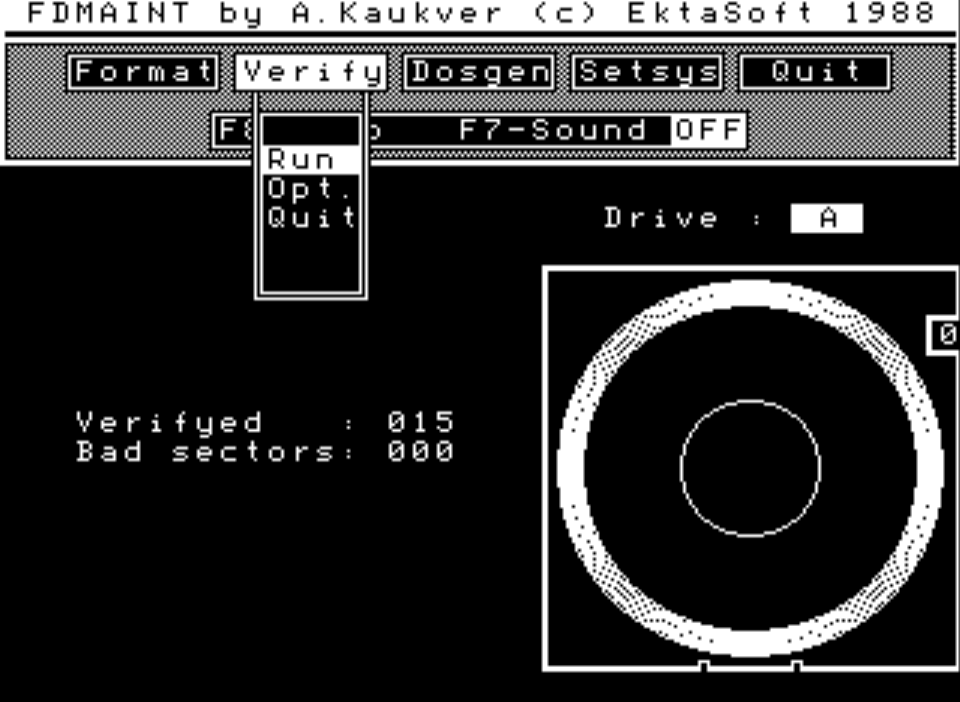
At the fundamental OS level for JUKU, the starting point is CP/M's 128-byte sector size, which means that the tracks on the disk are divided into 40 sectors and each track is 40×128 = 5120 bytes. On a physical JUKU floppy, however, the tracks are divided into 10 sectors, and it is in those units that the checksums of the data are computed and written to the actual physical disk. That is, on the physical disk CP/M's 128-byte sectors are themselves grouped four at a time into 512-byte sectors, so the track size is 10×4×128 = 10×512 = 5120 bytes. Since encoding/decoding the data on the floppy's magnetic surface is handled at the hardware level, when processing disk images one does not have to pay attention to the properties of the physical floppy disk and can limit oneself to the data format available at the OS level.
The CP/M file system in use has a logical block size of 4096 bytes; each such block holds 32 sectors, and 819200/4096 = 200 logical blocks fit in the disk's total capacity. The first two tracks of the disk are reserved for booting the system, so 819200 − 2×5120 = 808,960 bytes actually remain for logical blocks, which holds 808960/4096 = 197.5 logical blocks, or 197.5×4096 / 1024 = 790 kB. It's not wise to write a half logical block to disk, and since the first logical block is used as the directory block, only 196 blocks remain for actual file data. So the actual usable capacity of a JUKU disk is 196×4096 = 802,816 bytes, which is 802816/1024 = 784 kB. Because the logical block is 32×128 = 4096 bytes and the physical track is 40×128 = 5120 bytes, even though one is simply 4 kB and the other 5 kB, operating at different levels with different units makes the overall picture of disk-image processing confusing and complicates deriving the data structure from the contents.
The specific double-confusion of JUKU disks
The header of the JUKU EKDOS 2.30 source code documents in bold that the disk format is based on the DEC Rainbow 100 floppy format. The source code also gives the parameters already mentioned:
; DPB constants for 5" 96 TPI DSDD diskettes (2x80 tracks):
TRACKS  EQU 160 ; 5"DD
BLKSIZ  EQU 4096    ; block length
DIRTRK  EQU 2   ; directory track # (3 if 5"SD)
BLOCKS  EQU 197 ; (TRACKS-DIRTRK)*CPMSPT/(BLKSIZ/128)-1
DIRENT  EQU 128 ; directory entries
DIRCHK  EQU 20H
These broadly match the calculations done above, although the result of the expression (TRACKS-DIRTRK)*CPMSPT/(BLKSIZ/128)-1 in the comment would in fact be 196.5, which seems to have been rounded up to 197. The value used in the code is correct, but the explanatory expression may be the reason why the OS reports the usable capacity of the JUKU floppy disk as 786 kB, because 196.5×4096 = 804,864 bytes, after which 804864/1024 = 786 kB. In reality, however, the JUKU floppy holds either 784 kB worth of files or 788 kB worth of logical blocks together with the directory block. The extra half logical block is accessible to the OS, so the reference on the title screen to 786 kB disks isn't outright wrong; but neither JUKU itself nor CP/M software can in general cope correctly with the 2048-byte phantom block, and at best it could be used to store secret messages.
Since JUKU floppies, because of their complex data structure, are not readable by the usual CP/M disk-image tools, it's worth noting that the DEC Rainbow 100 itself has been historically a recognised headache, because its skew table did not align with the standards of other manufacturers. JUKU probably uses/refers to the Rainbow disk format for fairly accidental reasons, or because its disk reader combined two single-sided readers and was therefore to a degree suitable as a "code donor" — in any case the JUKU skew table looks exotic in its own way and is likewise findable in the source code:
; *** Sector translate vectors, two 40 byte areas ***
;
TRANS:  DB  1,2,3,4,9,10,11,12
    DB  17,18,19,20,25,26,27,28
    DB  33,34,35,36,5,6,7,8
    DB  13,14,15,16,21,22,23,24
    DB  29,30,31,32,37,38,39,40
;
TRANS1: DB  1,2,3,4,9,10,11,12
    DB  17,18,19,20,25,26,27,28
    DB  33,34,35,36,5,6,7,8
    DB  13,14,15,16,21,22,23,24
    DB  29,30,31,32,37,38,39,40
On closer inspection, you can see that such a skew table actually consists of blocks of four like 1,2,3,4 or 33,34,35,36, and the simplified expression of the table would actually be 1,3,5,7,9,2,4,6,8,10. That is what the skew table would be if it were defined in terms of JUKU's 4×128 = 512-byte physical sectors. In other words, the sectors of each individual track are read so that first all odd-numbered, and then all even-numbered, 512-byte combined sectors are read; there are five of each per track. Avoiding sequential reading like this was reportedly needed at the time so that computers could keep up with processing the data coming off the disk and buffers wouldn't overflow:
"Standard CP/M systems are shipped with a skew factor of 6, where six physical sectors are skipped between each logical read operation. This skew factor allows enough time between sectors for most programs to load their buffers without missing the next sector. In particular computer systems that use fast processors, memory, and disk subsystems, the skew factor might be changed to improve overall response."
It is not known whether this kind of slowing-down was actually needed for JUKU floppy drives, but in modern terms it is probably an unnecessary measure, and so we are certainly doing no harm by simplifying the skew table for the sake of readability. However, simply feeding our simplified — or non-simplified — skew table to cpmtools is not enough, because although the start of the disk is read roughly correctly, from the first files onwards everything turns into a proper mush.
If we look more closely at the resulting mush, it turns out that the JUKU disk format has another non-standard peculiarity that has nothing to do with skew tables and makes the disks unintelligible to tools that read ordinary CP/M disks. Namely: the tracks of one side of a JUKU disk are written out fully and then the other side is written starting from the beginning again, i.e. from the other edge of the disk. The customary approach is to write tracks alternately on one side and the other, or, when the track numbers reach one edge of the disk, to come back from the other side with them. So JUKU floppies are scrambled in two senses compared to ordinary disks — first because of the skew table, and second because of the layout of tracks on the disk. To jump ahead: after resolving the track-layout scramble, the skew table that was originally hypothesised as the root of the evil turns out to be perfectly standard.
What and how do we actually read them with?
In fact cpmtools together with libdsk's disk settings reads JUKU disks successfully. Both are available on every decent modern OS, but you have to check whether cpmtools's settings — i.e. the diskdef file referenced above — can refer to entries defined in libdsk's settings .libdskrc. Essentially, two things need to be done:
-
In the
.libdiskrcfile, define the disk image as being read by two heads, i.e. the parameterheads = 2, and set the number of cylinders to the number of tracks on one side,cylinders = 80. As to the order in which the tracks are written on the disk's sides, you have to say that they are written starting from the outside and going inwards in order, and when one side is full, the other side is continued — again from the outside inwards — i.e. the parametersides = outout. We set the name of the disk-image type to JUKU, i.e. we use the heading[juku]. -
In cpmtools's
diskdefsfile, define the appropriate number of tracks and sectors, define the special-purpose tracks such as the two tracks reserved for the system with the parameterboottrk 2, and the track describing file locations on the disk with the parametermaxdir 128. Thediskdefsfile should also point to using libdsk's geometry for reading the sides of the disk, which is done by the parameterlibdsk:format juku. At this point we also have to define the skew table; it can be defined in the style of the EKDOS source code, or simplified as indicated above.
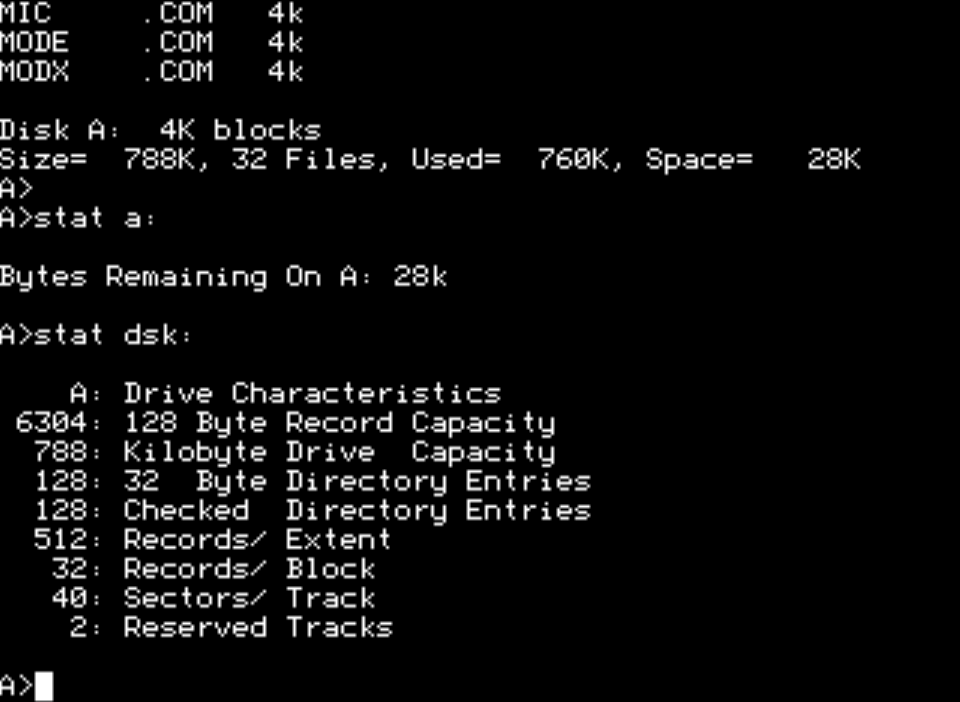
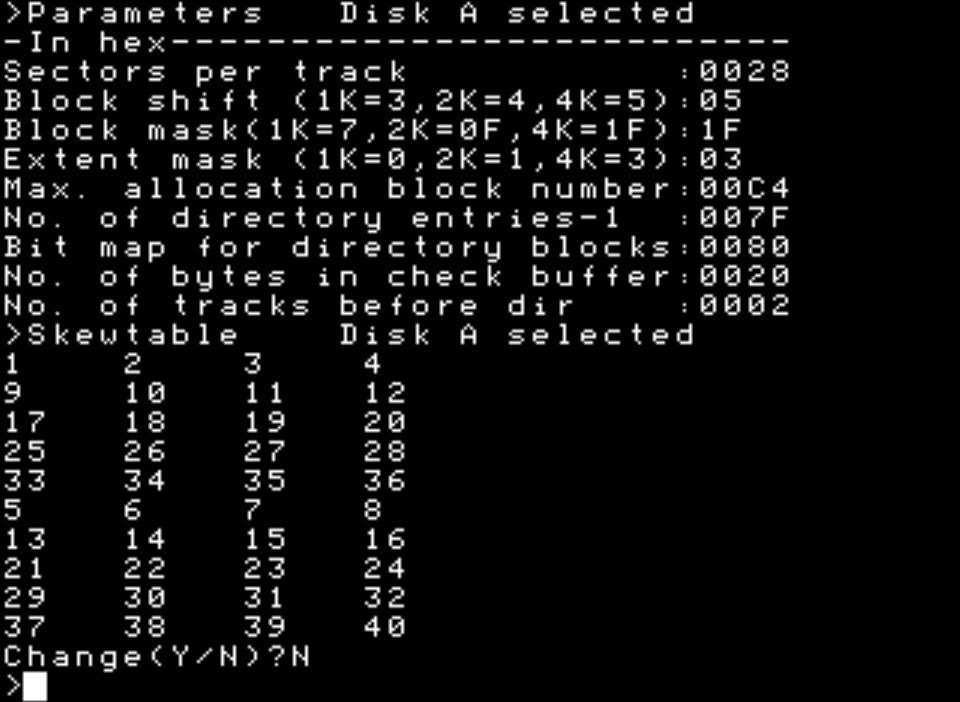
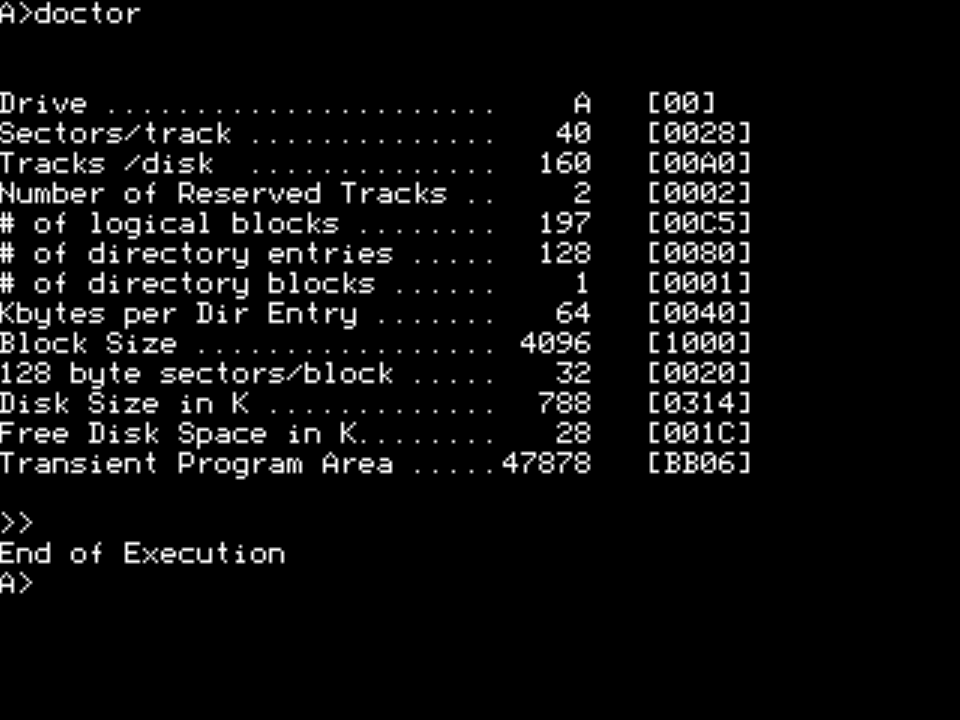
If we start by looking at JUKU's own utilities, they show the various disk parameters fairly differently:
| STAT | KULT | DOCTOR |
|---|---|---|
 |
 |
 |
Staying faithful to JUKU's CP/M-based 128-byte sector size, we should define the parameters in .libdiskrc more or less like this:
[juku-origin]
description = JUKU E5101 5.25" DSDD (2 x 80 x 40 * 128)
sides = outout
cylinders = 80
heads = 2
secsize = 128
sectors = 40
datarate = DD
Similarly respecting the original skew table, the diskdefs entry should be (though the table values must be changed to start from zero):
# JUKU E5101 original (DEC Rainbow 100 feat DSDD)
diskdef juku-origin
  seclen 128
  tracks 160
  sectrk 40
  blocksize 4096
  skewtab 0,1,2,3,8,9,10,11,16,17,18,19,24,25,26,27,32,33,34,35,4,5,6,7,12,13,14,15,20,21,22,23,28,29,30,31,36,37,38,39
  boottrk 2
  maxdir 128
  os 2.2
  libdsk:format juku-origin
end
If we instead simplify the skew table and group CP/M's 128-byte sectors four at a time into a single 512-byte physical sector, then accordingly:
[juku]
description = JUKU E5101 5.25" DSDD (2 x 80 x 10 * 512)
sides = outout
cylinders = 80
heads = 2
secsize = 512
sectors = 10
datarate = DD
And in cpmtools's diskdefs with the shortened skew table — after eliminating the disk-sides scramble — what we end up with is a perfectly ordinary skew factor of 2, i.e. skew 2:
# JUKU E5101 \w optimized skew (DEC Rainbow 100 feat DSDD)
diskdef juku
  seclen 512
  tracks 160
  sectrk 10
  blocksize 4096
  skew 2
  #skewtab 0,2,4,6,8,1,3,5,7,9
  boottrk 2
  maxdir 128
  os 2.2
  libdsk:format juku
end
Since not all versions of cpmtools are in practice compatible with all versions of libdsk, it is not excluded that the geometry defined in libdsk's settings is ignored — in which case, for example, all sectors and blocks on a track could be described as a single big skew table. Such a hack would make the table roughly 160×10×4 ≈ 6 kB long, which by modern standards isn't quite the end of the world, but cpmtools may not digest a table that long by default. When setting up libdsk, the geometry of some acorn floppy could also serve as a donor, since this is one of the few in which the outout reading style has been used (see "used by some Acorn formats [and JUKU]"). Ultimately the simplest way to cut the Gordian knot may be to make elementary changes directly to cpmtools's source code and compile it yourself.
The final state and the fruits of our labour
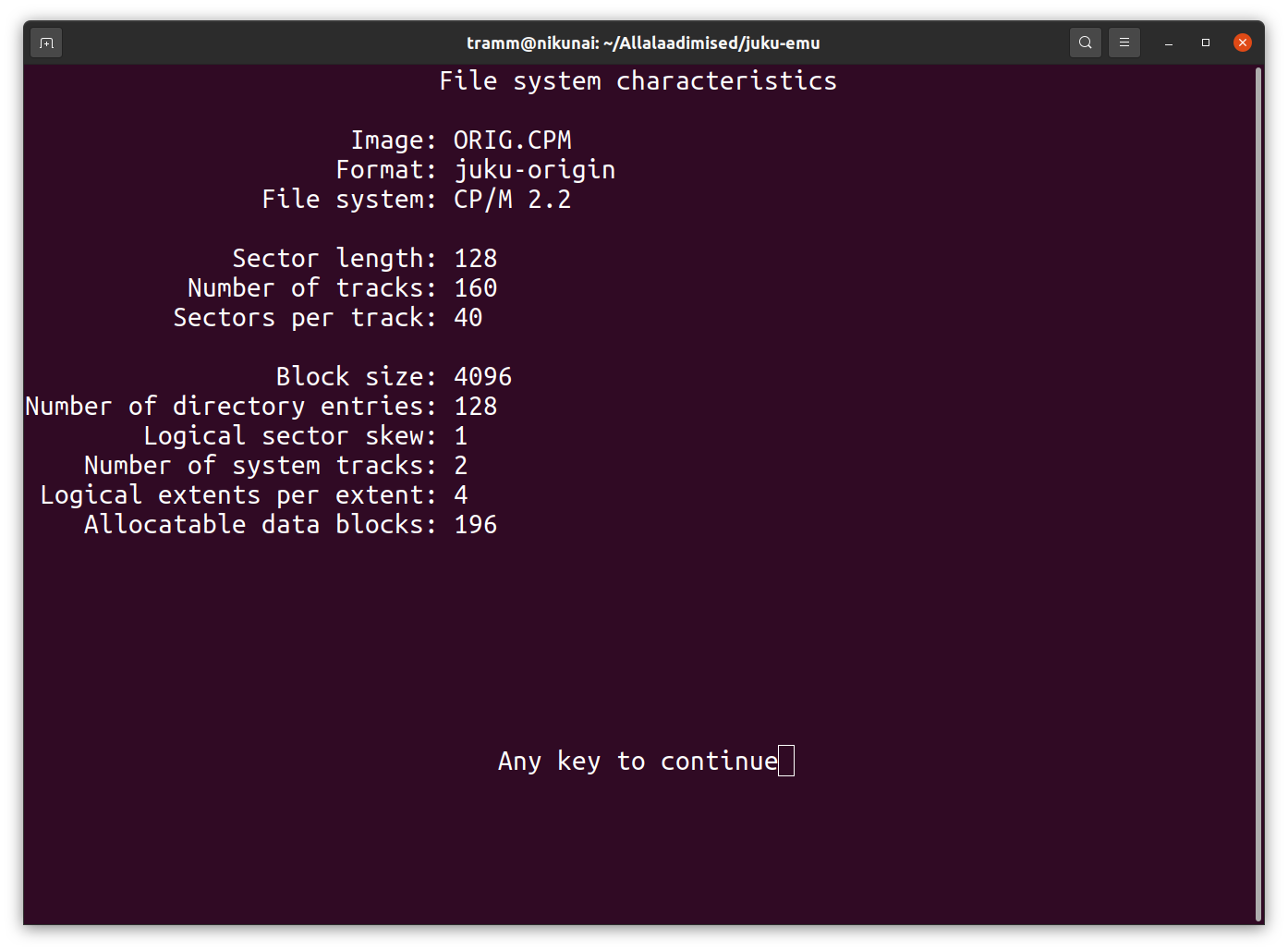
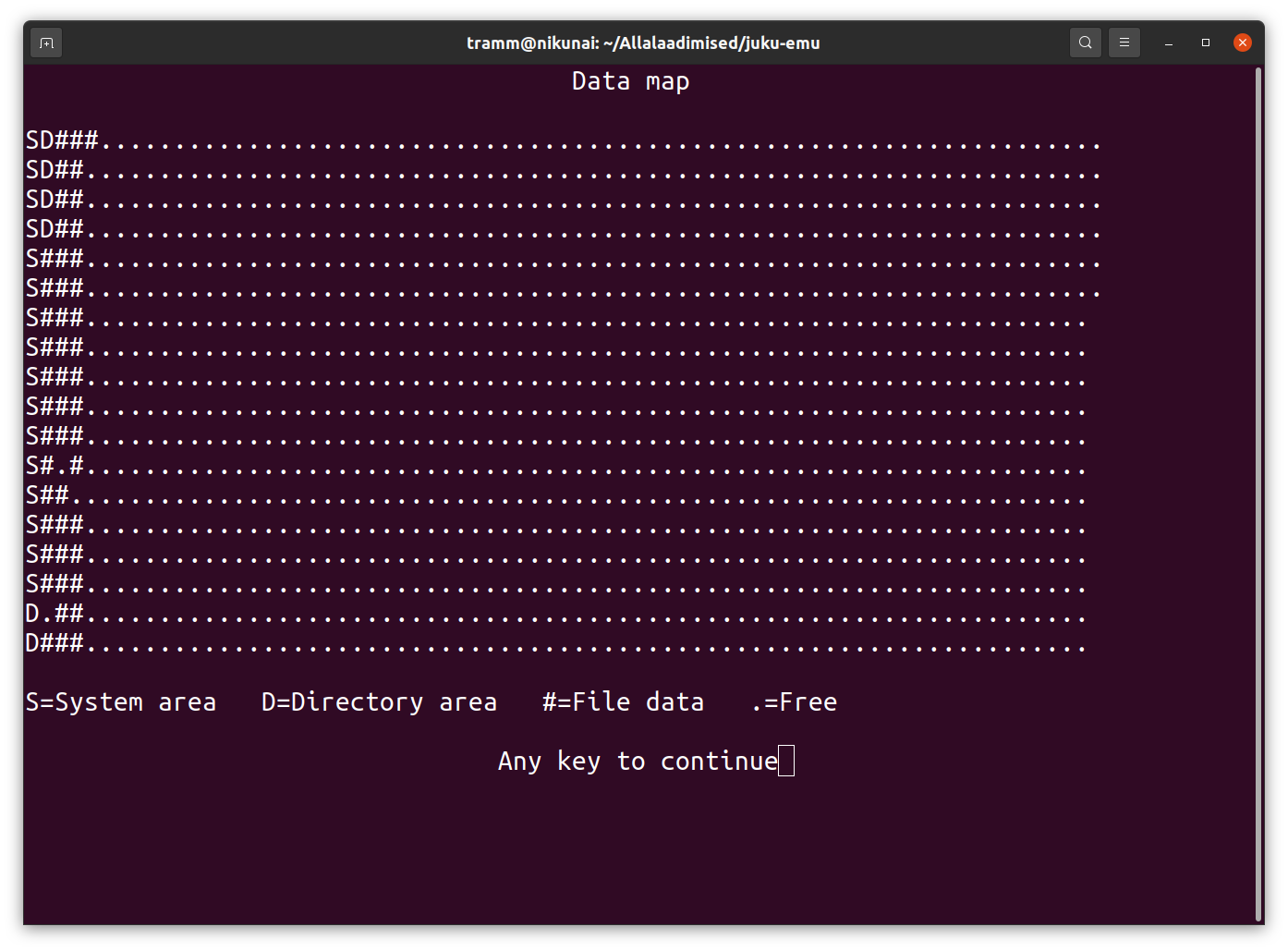
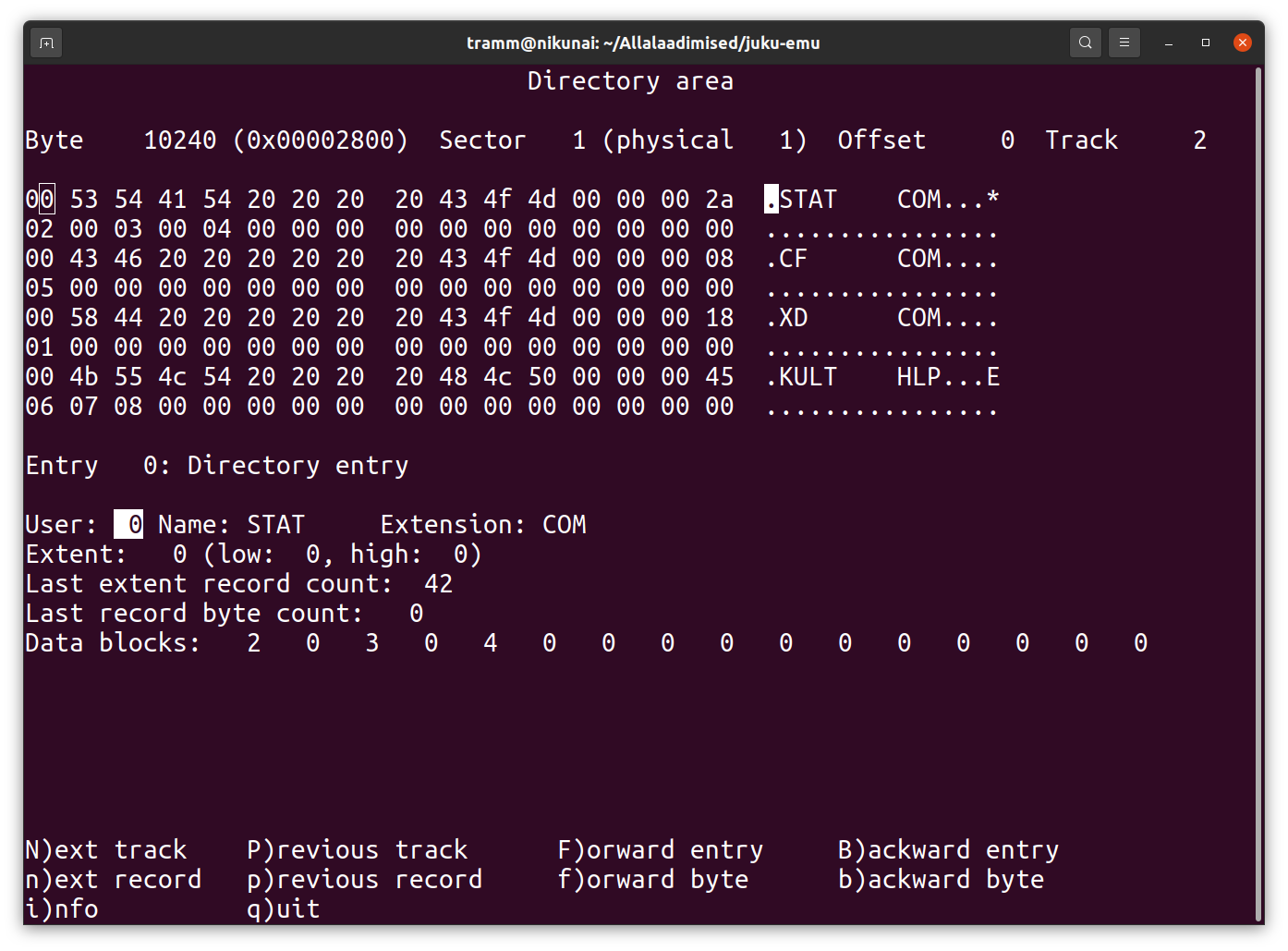
The end result looks like this in cpmtools's fsed.cpm -f juku-origin ORIG.CPM screen:
| Info (I) | Datamap (M) | Directory entry (0x5000) |
|---|---|---|
 |
 |
 |
All cpmtools commands should also work — for browsing disk contents and for file operations from copying to deleting:
cpmls -f juku DISK.CPM
cpmls -f juku -licF DISK.CPM
cpmcp -f juku GAMES.CPM 0:*.* jukugames
cpmcp -f juku GAMESX.CPM jukugames/INDY.* 0:
If you set juku as the default format in the environment variable CPMTOOLSFMT, you can omit -f juku:
CPMTOOLSFMT="juku"
export CPMTOOLSFMT
The lists of disk types and formats supported on libdsk's side are shown by dskutil -types and dskutil -formats; cpmtools does not appear to expose its list of allowed formats and you have to get to know them at the diskdefs configuration-file level. Strictly speaking, to read JUKU disks without additional libdsk tools, cpmtools's source code needs only a single extra line in two functions — to instruct them to look for tracks at the right place in the disk image — and an experimental JUKU version of CpmtoolsGUI so amended can be found here.
Starting from July 2025, JUKU disks can also be processed without additional effort by the Fluxengine development build.
It is somewhat tedious to dig into the peculiarities of historical disk formats, but with a bit of fiddling and trial-and-error even the world's most unique CP/M disk format can be read. To JUKU's credit, it can be said that probably no other computer system has ever existed that could read JUKU disks without tinkering — so twelve points and the Finno-Ugric crypto special prize to the researcher who came up with this format!
P. S. Making disk images from physical disks is also an interesting topic, but worthy of its own write-up.